How to connect Kleene to Claude, ChatGPT and other AI assistants with MCP
August 12, 2026
- min read
Henry Owen
Product Marketing Manager
Kleene now supports the Model Context Protocol (MCP), the open standard that lets AI assistants connect to external tools and data. In practice it means you can point Claude, ChatGPT, Cursor or any other MCP-compatible client at your Kleene account and work with your pipelines from the tool your team already uses.
If you want the background on what MCP is and why it matters, we cover that in MCP, explained. This guide is the practical version: how to turn it on, what you can do once it is on, and how your permissions carry over.
Turning it on
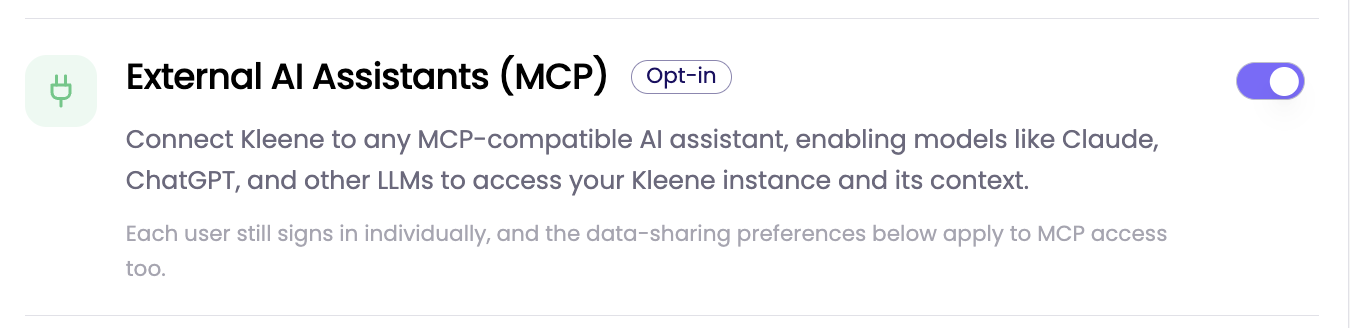
MCP is opt-in. First, enable it in Kleene: go to App Settings, then AI, then turn on External AI Assistants (MCP). Then connect your client.
Enabling External AI Assistants (MCP) in the Kleene app
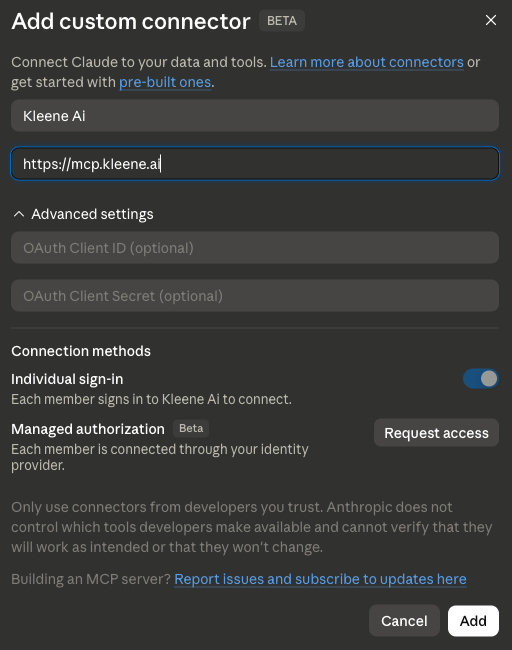
For Claude, a Claude admin adds a custom connector pointing to the Kleene MCP server. Once that is set up, you go to Customize, then Connectors, sign in to Kleene, and approve access.
For ChatGPT, turn on Developer Mode under Settings, then Apps. Create a new app using the Kleene MCP server URL with OAuth authentication, then sign in to Kleene to finish.
Your AI assistant works directly with your Kleene environment. A few of the things it can do, with the kind of plain-English request that triggers each one:
Search and inspect transforms. Find transforms and groups, pull the SQL, and trace which transforms reference a given table. "Show me the SQL for the customer LTV transform."
Generate and improve SQL. Describe what you need and have it draft or refine the SQL. Where write access is enabled, proposed changes go to sandbox for review rather than straight into your pipelines. "Create a weekly cohort retention transform in sandbox."
Debug pipeline issues. Ask about recent failures, pull the logs, and understand an error without digging through run output. "Why did the orders pipeline fail last night?"
Explore schemas and data. Browse tables, check column types, and preview samples where enabled. "What columns are on the orders table?"
Analyze warehouse data. Summarize trends and draft reports from the tables your account can access. "Analyze revenue by customer segment for the last quarter."
Get answers from the Kleene docs. Ask product and workflow questions grounded in our documentation. "What's the recommended pattern for incremental transforms?"
Your permissions still apply
MCP follows the same rules as the rest of Kleene, so connecting an AI assistant does not widen what anyone can reach or change.
Nothing is committed to production automatically. Write access respects your existing role permissions, and proposed changes are reviewed before they are applied. Data previews are protected by default, with PII obfuscated before any rows are returned, unless your organization has explicitly enabled raw preview access.
So the assistant can see and do what the person using it could already see and do in Kleene, and no more.
Getting started
Enable MCP under App Settings, then AI, connect your client, and start asking questions of your data from wherever your team already works. The full documentation has the exact server URLs and step-by-step setup for each client.


%201.svg)


%201.svg)
