Product Update - ✍️ Git Integration, SQL Console Upgrades, and KAI Assistant That Writes Your Transforms
May 19, 2026
— min read
Over the last few weeks we shipped three things that change how engineers and analysts work inside Kleene and a fourth that changes how we think about AI on top of your data entirely. Here’s what we built, how it works, and why it matters.
⚙️ Git Integration - Your transforms are part of Gitops
For a long time, the transforms and pipelines you built in Kleene lived only in Kleene. They were powerful, but they weren’t part of your team’s version-controlled workflow. You couldn’t review transform changes in a PR, roll back with confidence, or enforce the same approval gates you use for code. And while Kleene already provides internal version control via sandboxed changes and promotion, teams still wanted those changes reflected in their GitOps process. That changes now.
Kleene’s Git integration connects your transforms to GitHub or Azure DevOps — whichever your team already uses. Once connected, you can push transforms (and whole groups) directly from the Kleene interface. Kleene handles the commit, structures the files correctly, and pushes to your repo so the pipeline can be managed like code.
What this means in practice (transforms → pipeline via dependencies):
Review transform changes like code. Open a PR for transform edits and use your normal review workflow (comments, approvals, CI checks).
Pipeline changes are tracked automatically. Because the pipeline is derived from transform dependencies, changes to transforms translate directly into pipeline changes.
Rollback with confidence. If a change breaks something in production, roll back to a previous version of the transforms (and the pipeline follows).
Auditable history. Every transform change is attributed, timestamped, and linked to the person who made it.
Auto-sync via webhooks. Push to your repo and keep your chosen branch in sync.
Multi-transform commits. Group related transform updates into a single logical commit.
For teams already using GitOps for infrastructure and application code, this closes the gap. Your data pipeline is now part of the same review and deployment workflow as everything else.
💡 What’s still coming: Support for GitLab, plus an audit log view (a history of all sync events) visible inside Kleene.
✏️ KAI Assistant Can Now Write Your Transforms
KAI Assistant has always been strong on analysis , asking questions about your data, explaining lineage, surfacing insights. But when KAI Assistant suggested a transform, you still had to copy the SQL out of the chat, open the editor, paste it, and save it yourself. KAI could see your data but couldn't touch it. That loop is now closed.
🧠 KAI Assistant knows what you're working on
KAI automatically attaches context from whatever you have open. If you’re in the SQL Console or the Pipeline Editor, KAI knows the SQL you’re editing and which transform you’re working on.
The KAI panel header shows what’s attached (e.g., “SQL Console attached · revenue_model”) — so you always know what context KAI is using. No copying and pasting into the chat. KAI already knows.
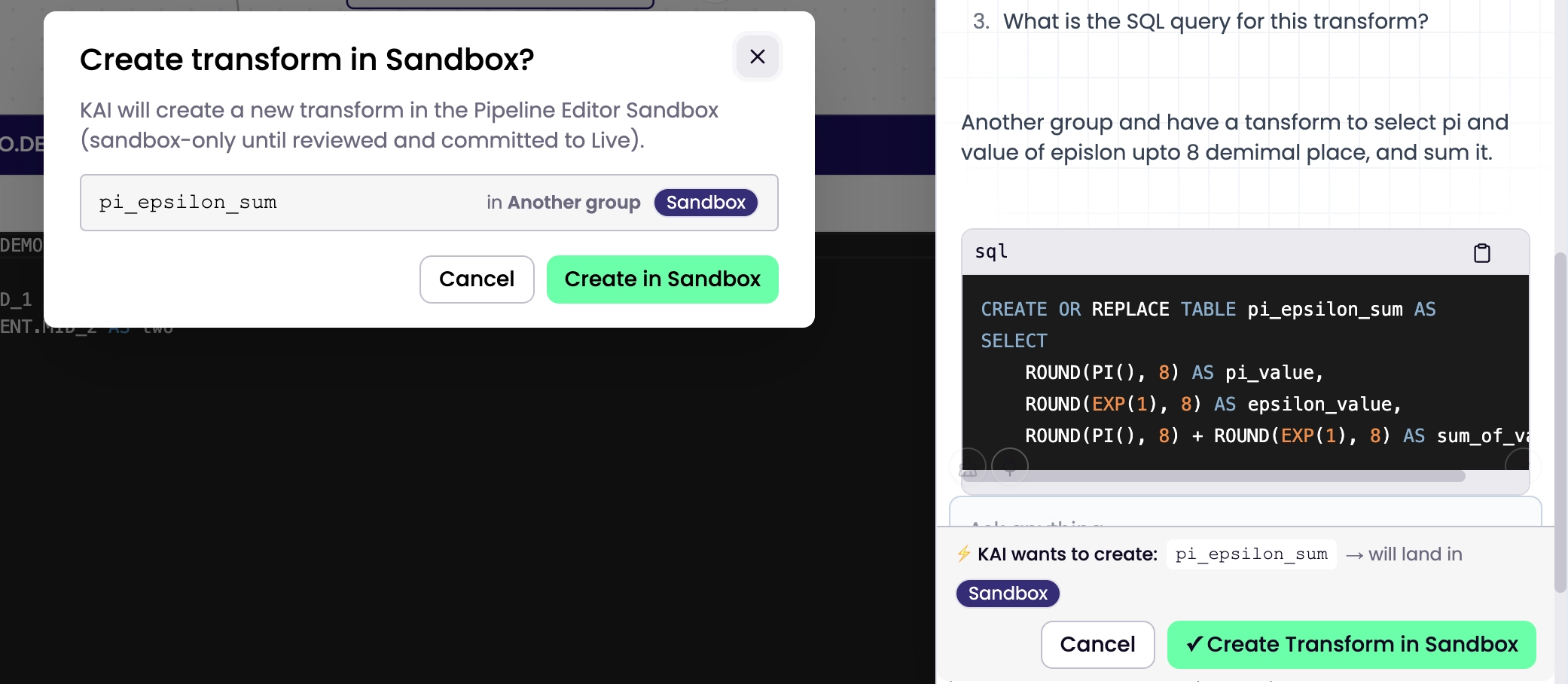
Ask KAI Assistant to create or update a transform — it lands in sandbox
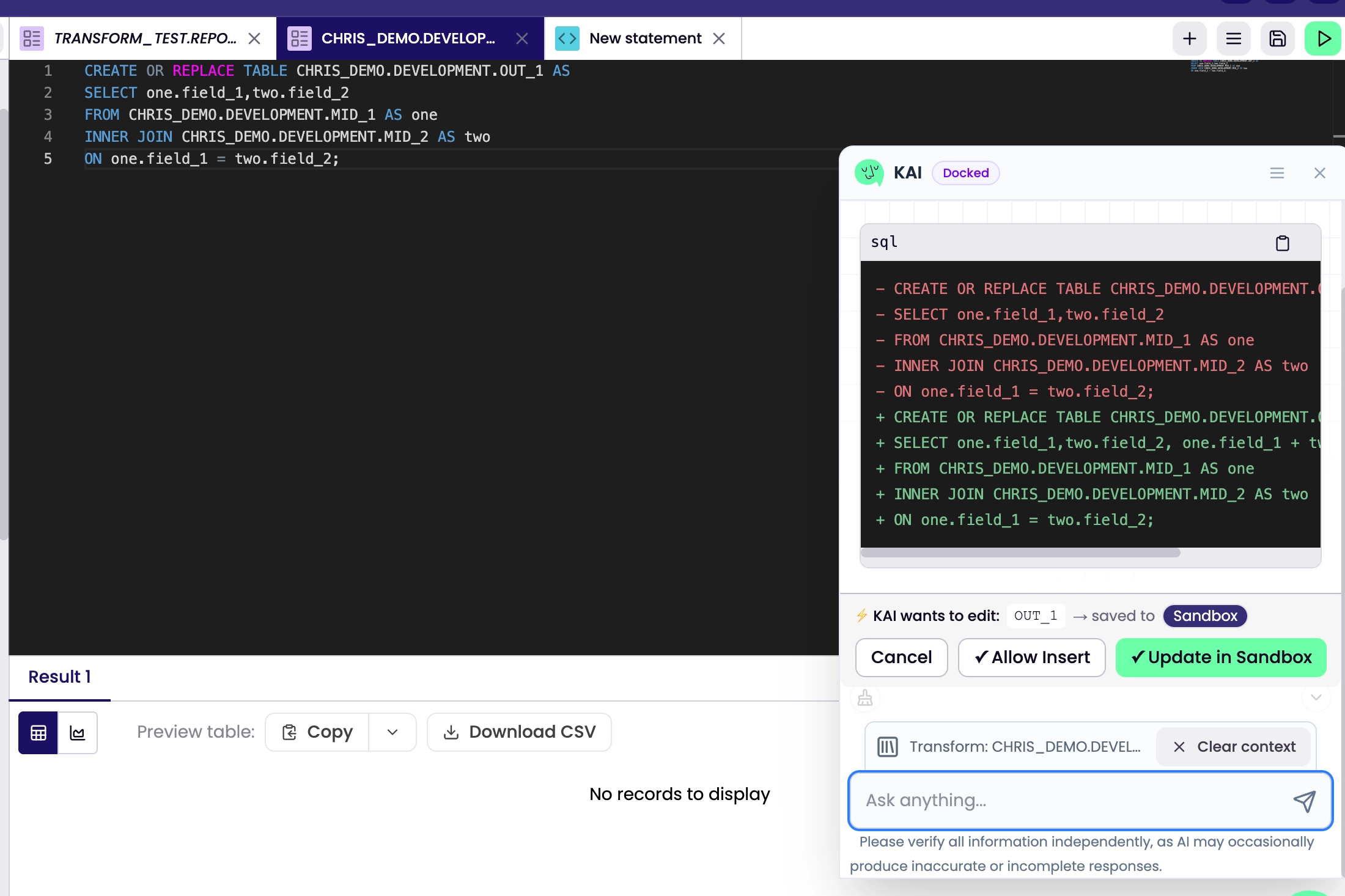
When KAI suggests SQL — whether fixing a bug, rewriting a join, or building something from scratch — you now get a diff card in the chat, not just a code block.
From the diff card you have two options:
Insert into SQL Console — drops the SQL into your current editor for you to review and modify before saving
KAI diff card with "Insert into SQL Console" and "Create in Sandbox" buttons
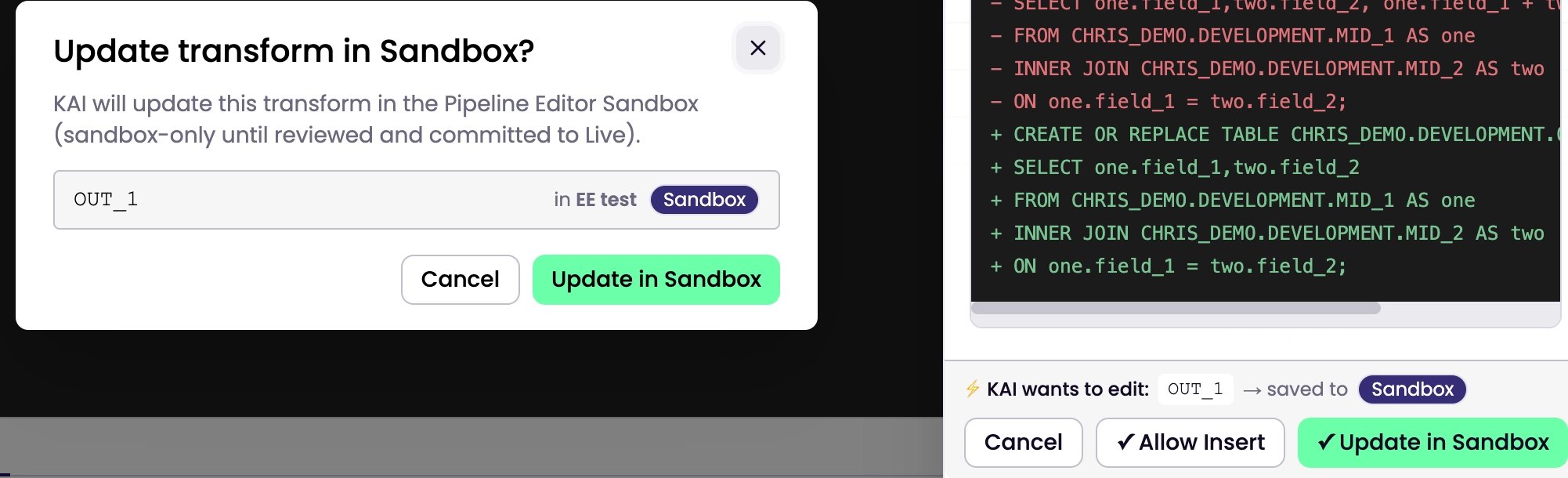
Create / Update in Sandbox — KAI writes the transform directly to your sandbox, ready for you to test and promote
The sandbox write is never silent. You see exactly what KAI is proposing before anything is written. KAI doesn't write without your say-so.
🔒 Permission-gated
The SQL console or Sandbox write tools respect your existing role permissions. If your role doesn’t include pipeline-editor/write or transforms/write, the write options don’t appear. Read-only users can still ask KAI questions they just can’t trigger writes.
Before and after
Before
Ask KAI → get SQL → copy → open editor → paste → name the transform → save → find where you left off



%201.svg)
